Ditto
Nice to see another owner here in Michigan. Where are you located? I’m in Fenton.
I was also a Mentor for our local FIRST High School team. Kids are out of school now, but it was fun. Enjoyed helping to nurture the kids’ creative minds. Kinda miss it.
Hi Yarbo User,
We’re thrilled to hear that your Yarbo has been a great fit for your yard and that it’s performing well even under dense tree canopies — that’s exactly the kind of real-world experience that helps others make informed decisions.
It’s wonderful that you’re interested in sharing your experience through demonstrations. We’d love to have you join our Showcase Program! Please leave your contact information here to get started: https://www.yarbo.com/showcases, and our team will follow up with more details.
Thanks again for being such a valued member of the Yarbo community!
Battle Creek here
So not so good start this morning. I installed the Data Center last night got that online with an “Excellent” signal strength and 23 satellites connected. I charged the Yarbo overnight via the charging cord and I have NOT installed the charging pad that is today’s task. Upon unplugging the Yarbo from the charger and starting the Yarbo up via the button I get a “Start Charging” so I wait about 30 seconds later the Yarbo states “Ready to Work”. The app says the Yarbo is still charging and I can not do anything. I have tried plugging the charger back in and then unplugging - No change on the app. I have tried restarting the Yarbo via the app and same thing happens. I have tried unplugging the battery and then plugging the battery back in and restarting the Yarbo via the button on the back and the same experience. So I am in an old fashion Windows Loop of dispair.


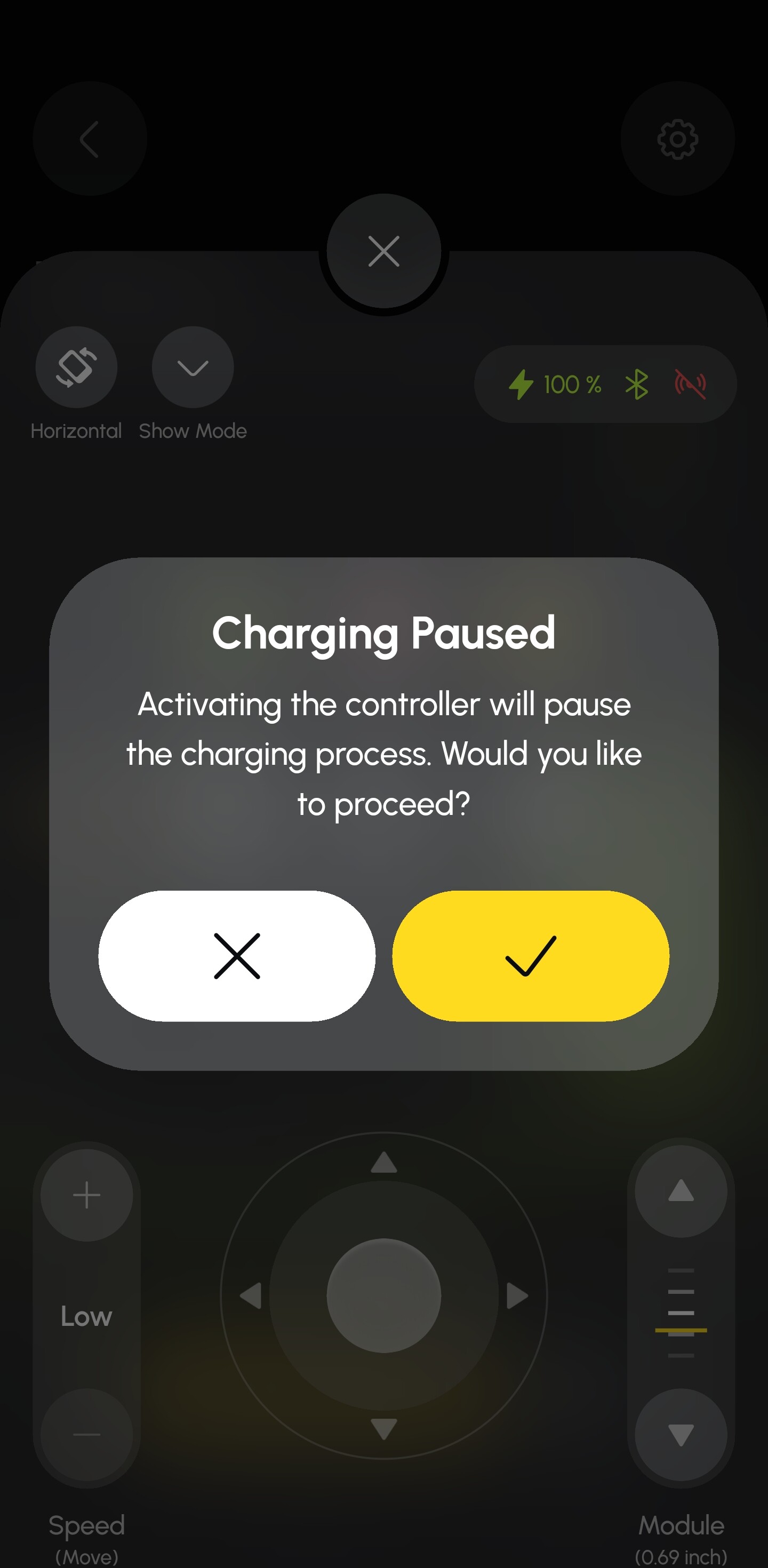
Uploaded a video to: https://youtube.com/shorts/DgcYM94RBH0
I also can not update the firmware for some reason. I have connected the Yarbo to my wifi network and the Yarbo says it will update itself but none the less still on the older version of the firmware so I am at a stand still literally 
Your current firmware is two revisions old. It should be updating to V3.9.16. You might want to open a support ticket to get things moving.
You don’t need to attach to your home WiFi. It’s actually not recommended and can cause issues. As long as your data center has access to the internet it will update over HaLow. Submit a ticket to get your firmware updated and have them check out the stuck charging glitch. Probably will fix itself with the update. Yarbo pushes those and there’s no way to do it yourself at that version. The new firmware will allow you to kick it off or defer it going forward.
Have you seen that in action?
Got the ticket in. Have to wait until the push is done form the China support team.
I wonder if it would be a good idea for those first time firmware updates to be automated upon registration of the Yarbo in the app when you set it up. Right now and this is not a gripe but I can not install the charging pad because the Yarbo is not operational.
I think it might be a good idea to allow “Dealers” to update these on behalf of the customer upon installation. Great opportunity to provide a customer service and ensure the new shiny thing moves and operates.
Not yet
The updates should automatically show install the moment it detects internet. It’s usually a back end issue that the serial number isn’t in the right queue or something like that. Or, the update failed for some reason and they manually have to kick it off.
It would be nice. One day maybe. I’d rather it just be possible directly in the app like every other internet connected device I own.
Yeah! what he said!
RG-
I’m north of you in Alpena!