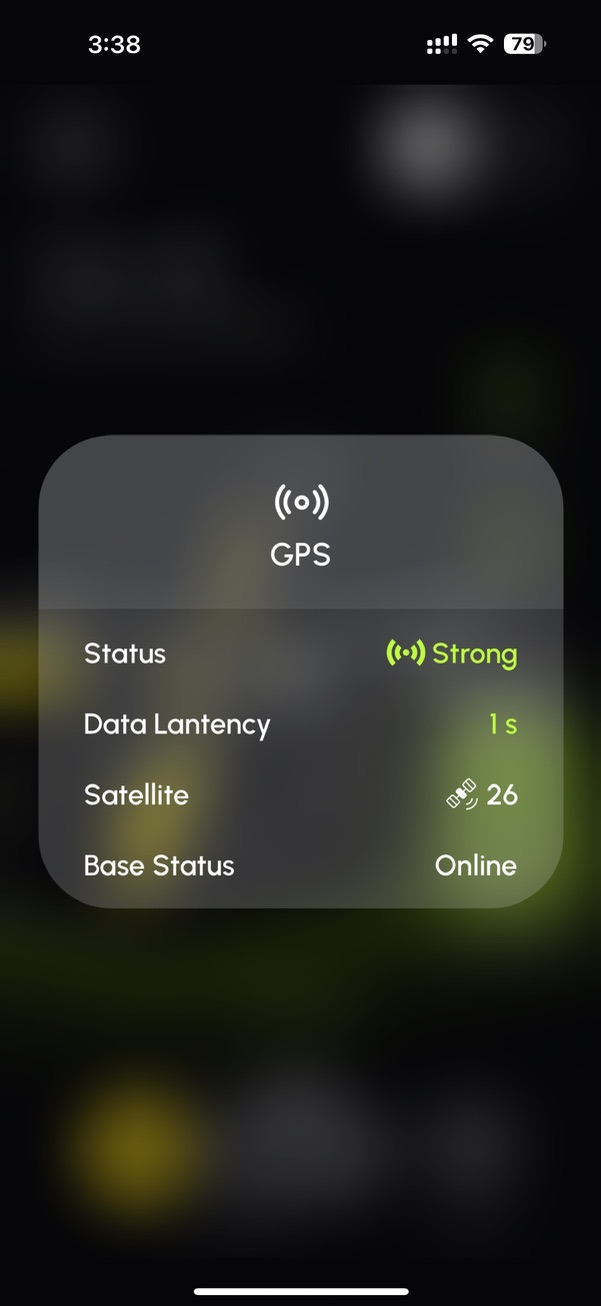
With the new app you can press and hold on WiFi/HaLow icon to get to some controls.

Same for GPS icon
Those have been there since the beginning. But, not a lot of people find or know that.
It seems there are more options now for the HaLow icon but I could be mistaken. As far as the GPS icon goes I don’t remember that doing anything in the past. We had this discussion a few months ago. When was that added?
It’s handy. Would have been nice to know about it.
Now you know!  Perhaps they can put it in the weekly newsletter. I’d also love if they could have a button on the Home Screen to quickly get to the diagnostics screen.
You did know that. You responded to this thread. 
I thought the same thing. 
I’ve slept since then.
^This 
I’m starting to forget why I walked into a room.
If I didn’t have ID, I’d forget who I was.
Look, at least there’s a bright side -
…it’s never the same day, twice.