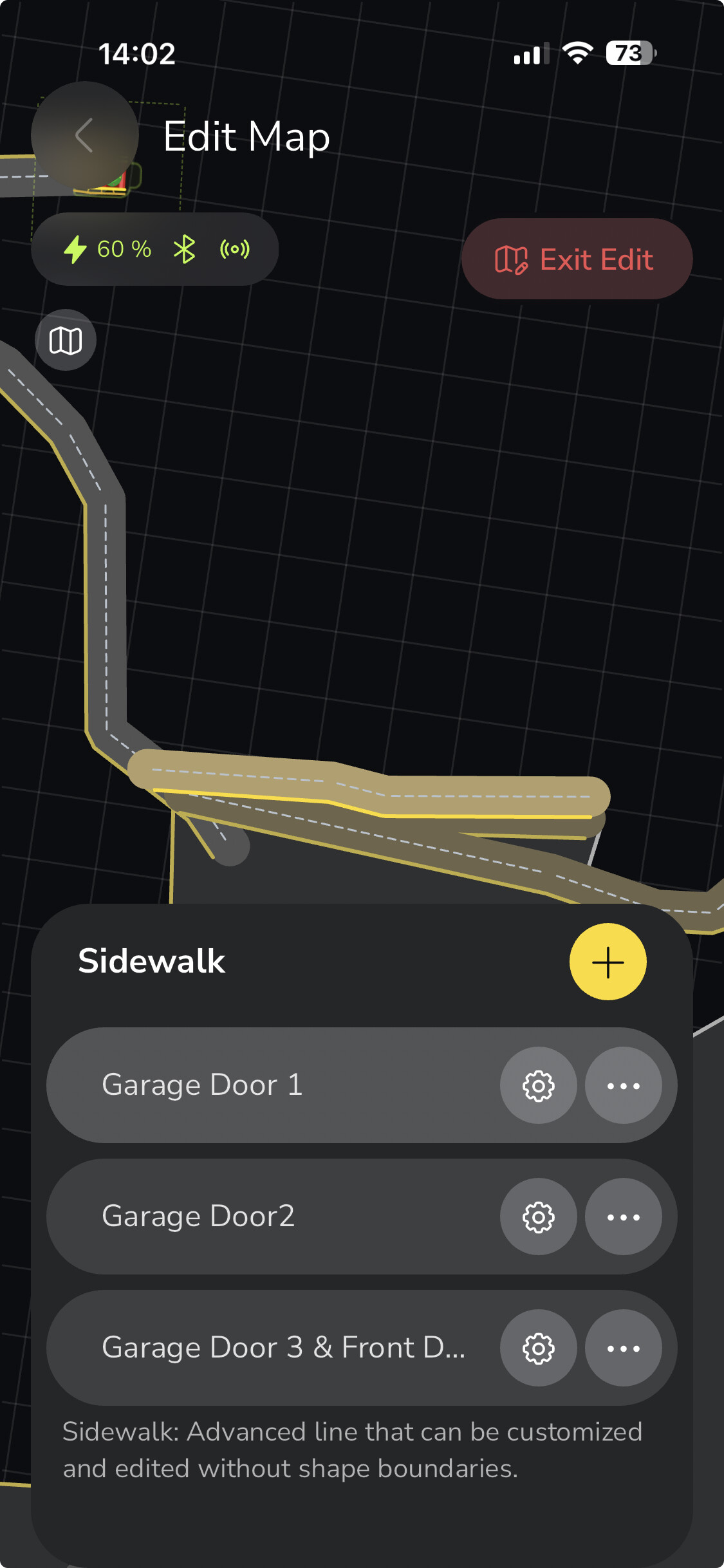
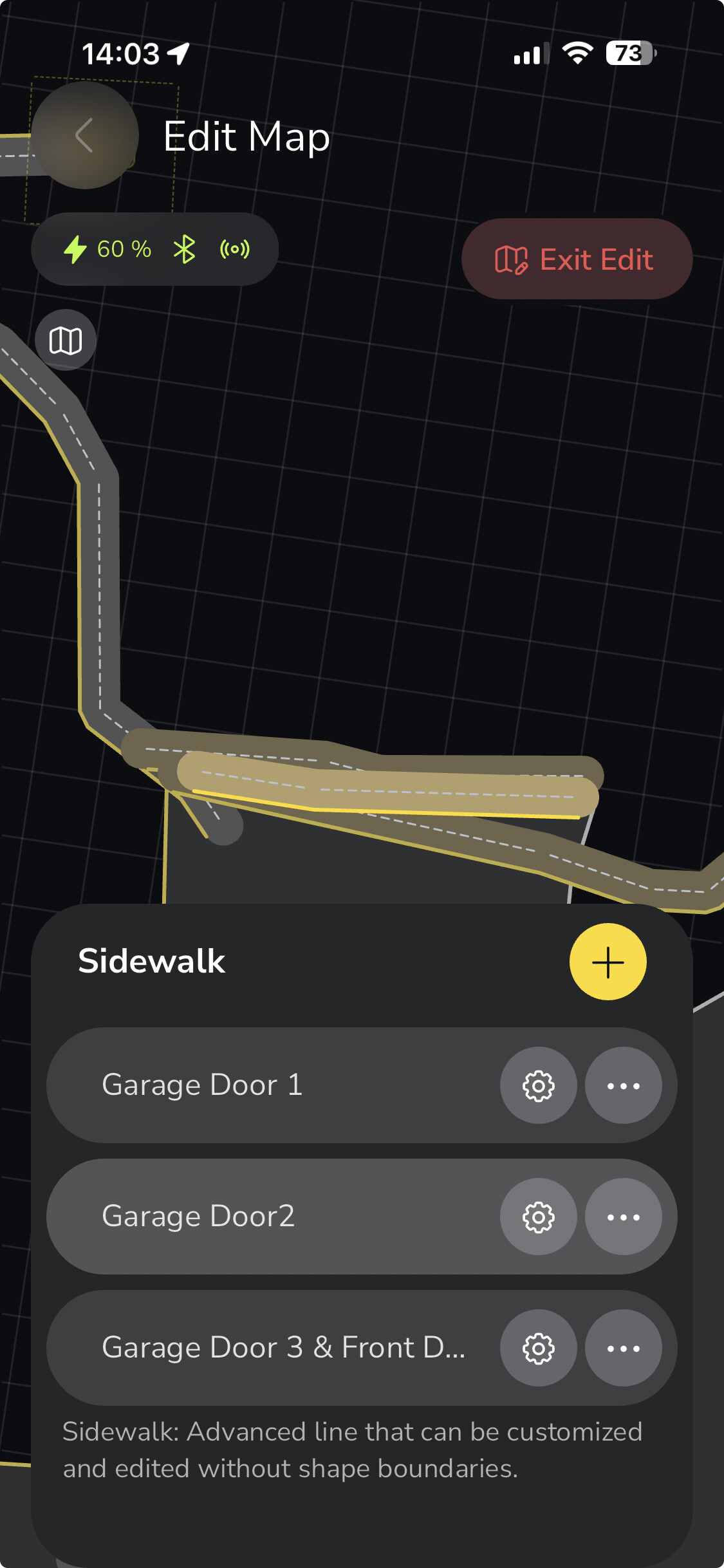
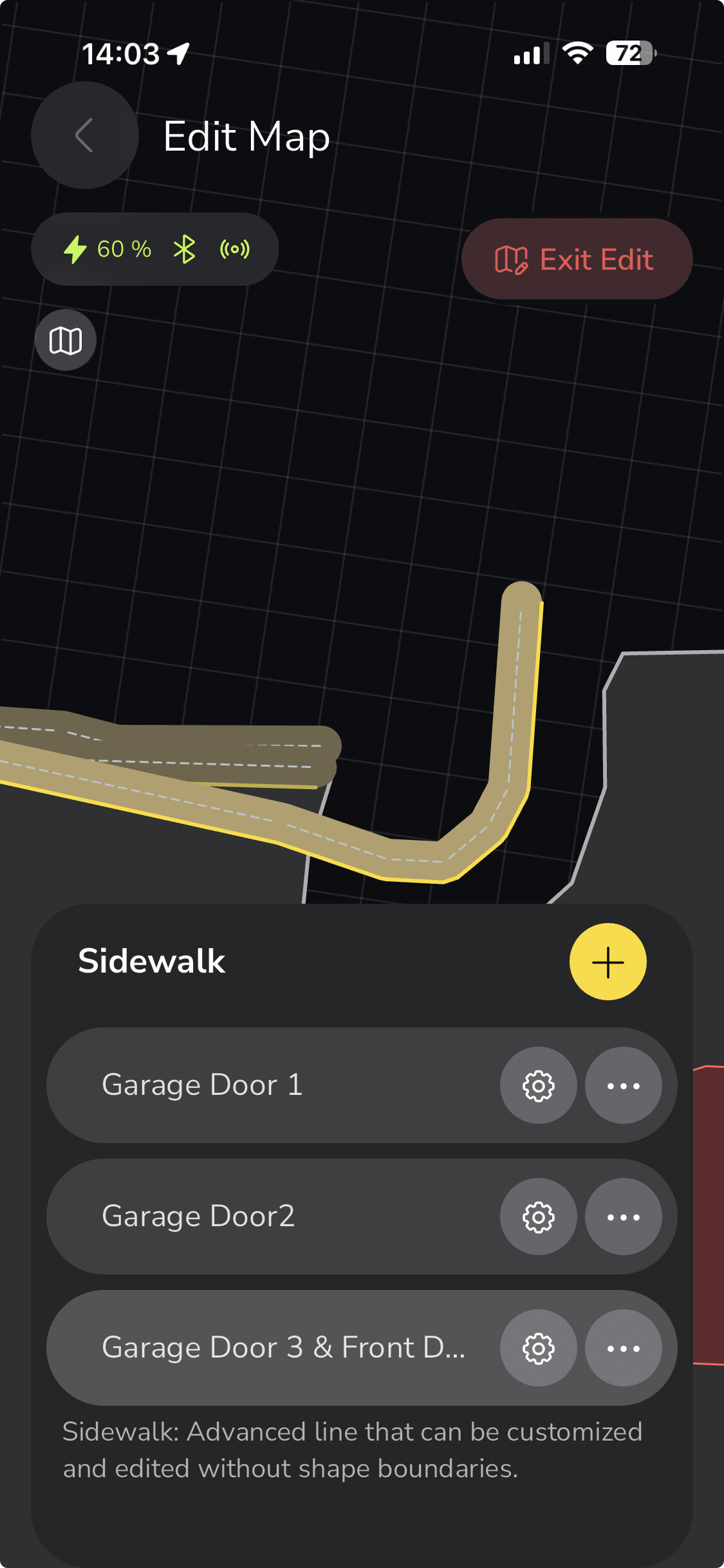
Plan started off great. Yarbo made a perfect exit from the docking station. And successfully navigated the pathway to the driveway work area.
Garage Door 1 sidewalk Yarbo headed down the correct way, did a zero turn and ran back towards the pathway with the auger running.
Then it did a reverse I can only assume was Garage Door 1 sidewalk with the auger off. This reverse put Yarbo at the “finish” of that sidewalk.
After rewatching the video, I wonder if when Yarbo reached the distant end of Garage Door 1 and bailed on the sidewalk and did the North end of the work area that is layered below the sidewalk.
The weirdness continues.
The north west corner of the work area is too close to the house, during turns it hits the house causing a collusion. After I backed up Yarbo and resumed the plan Yarbo would “rework” the whole sidewalk or work area under the sidewalk. It took MANY tries to finally get to Garage Door 3 & front door.
After finally getting past that sidewalk the rest of the plan went without a hitch.
My theories (correct any of this if it is not what you’ve seen)
Sidewalks over a work are may be exited and the work area underneath may be worked.
I believe a sidewalk must “fully complete” before the plan can move on. Colliding with the house after clearing the collusion ended up repeating the sidewalk that was being worked.
Driving Yarbo to where you think a sidewalk starts and restarting the plan doesn’t help if the previous sidewalk was not “finished”
That discussion of “skip ahead 1%” sure would have made today’s run go smoother. I watched Yarbo clear a single sidewalk at least 8 times. I believe that is because it started the sidewalk over after I cleared a collision which happened to be when it reversed to the “beginning” of the sidewalk.
Scroll up and review the “Preview”. Why can Yarbo just split the driveway down the middle blowing snow to the left of the right as it traverses the entire length of the driveway. What’s up with the short north to south runs on the East (right) side of the driveway? Maybe it the snow throw direction line?
If I was going to take a traditional snow blower to this driveway, I’d make a few passes in parallel to the garage door (sidewalk 1, 2 and 3.) and then split the long driveway in half. Driving south throwing to the east and driving north throwing to the west. Finish off the turn around and then hit the apron.
My first thought is for over a week now we have seen Yarbo do stupid stuff with sidewalks. How long will this fix take? They had months to fix the S1 and make it better, and all we got is a worse product than it was last winter. I think they need to start over and do some real testing, or get a new team working on it.
I think? A short bit ago, we saw that if sidewalks A and B overlap a certain way, they can be merged by the plan. If the plan includes sidewalk A, and sidewalk B, it can execute A&B on step A, then B again, on step B.
If that’s accurate, it explains a few quirks we’ve both seen with the M1 as well.
I did what you did Ken in some form or fashion with your sidewalks. I have a paved apron with large rock gravel leading to the road so I wanted to keep it tight and the apron was too small to form a legit area.
Same thing occurred as you documented. Then I switched to an S shaped that’s 1 long sidewalk and that was an even bigger problem with the tight long S shape overlapping all over the place.
I do believe work areas with sidewalks in them can confuse the sidewalk execution. Sidewalk spacing seems to be a problem for me as well. Having sidewalks over Pathways in certain ways has caused plan adherence issues with mapped sidewalks.
Hello Ken, thanks for sharing your experience with the second run of your snow blower. We sincerely apologize for the inconvenience caused by the abnormal behavior you observed with your Yarbo.
At the moment, there are still some aspects of the sidewalk algorithm that we are actively refining. Your detailed feedback is extremely helpful for us to continue improving the system.
When you have a moment, we would really appreciate it if you could submit a support ticket regarding this case, so our technical team can review the logs and investigate further. Thank you again for your patience and for helping us make Yarbo better.
For #5 it’s blowing all the snow in the top section west then splitting the lower half east an west. If you want the portion in front of the garage doors to just blow down the drive further you’ll have to split it into another area and throw towards the southern area. I tried multiple different ways to get it to do it with 1 area but I couldn’t make it reliable, it would shoot snow all over the place. Now I’m just stuck with it doing “the Do-Sido” when it goes between the 3 overlapped areas…
I got my control bases covered…don’t want it going far out in the road if unneeded so 2 no go zones there. it kept trying to take sidewalks backwards to drive around the parking spot so one it drives through anyways there…lol then the kids/wife added a penguin decoration so one there, the stairway is narrower than the overall porch so one there, might as well add the porch and flower bed(maybe we’ll get no-throw zones one of these days…lol). It was occasionally hitting the garage so one there. PPVS wasn’t out when I mapped the top right corner of the yard so it took like 10 trys to get a janky lined area it could use up there so I added the deck to straighten that area out…tried cordoning off the unplowed side yards with no-goes so Yarbo wouldn’t head over there…then found the bug where it would drive the perimeter of a no-go zone outside of mapped areas to get around them…Yarbo is more stubborn than my 5 yo🤣. Also added the rest of the house approximately(again in hopes of no-throw zones eventually) and the back basement entry that’s near the dock.
The neighbors yard was easier, but having those map filters will be nice too:sweat_smile:
That’s a lot of no-go zones to account for things Yarbo should automatically just not do.
I gotta say, I haven’t yet found the need to do any extra no-go zones yet.
Now that I say that of course, Yarbo is gonna make a bee line for the street and play chicken with someone’s F-350 that’s driving by at 60 MPH. Somehow I don’t think Yarbo will win.
The pathing algorithm is much more efficient if you have the no-go zones declared. It usually can complete plans without them but until vision navigation is implemented I’m not trusting the beta obstacle recognition. I think I’ve only hit our cars 3 times and one was kinda on purpose testing.
My main driveway zone just does not include the locations where my family parks their cars. I have the vision stuff all turned off. No need for a no-go zone.
I then created separate zones to clear the areas where cars get parked. I can run those zones whenever there are no cars there.
Easy peasy, and no unreliable vision stuff required.