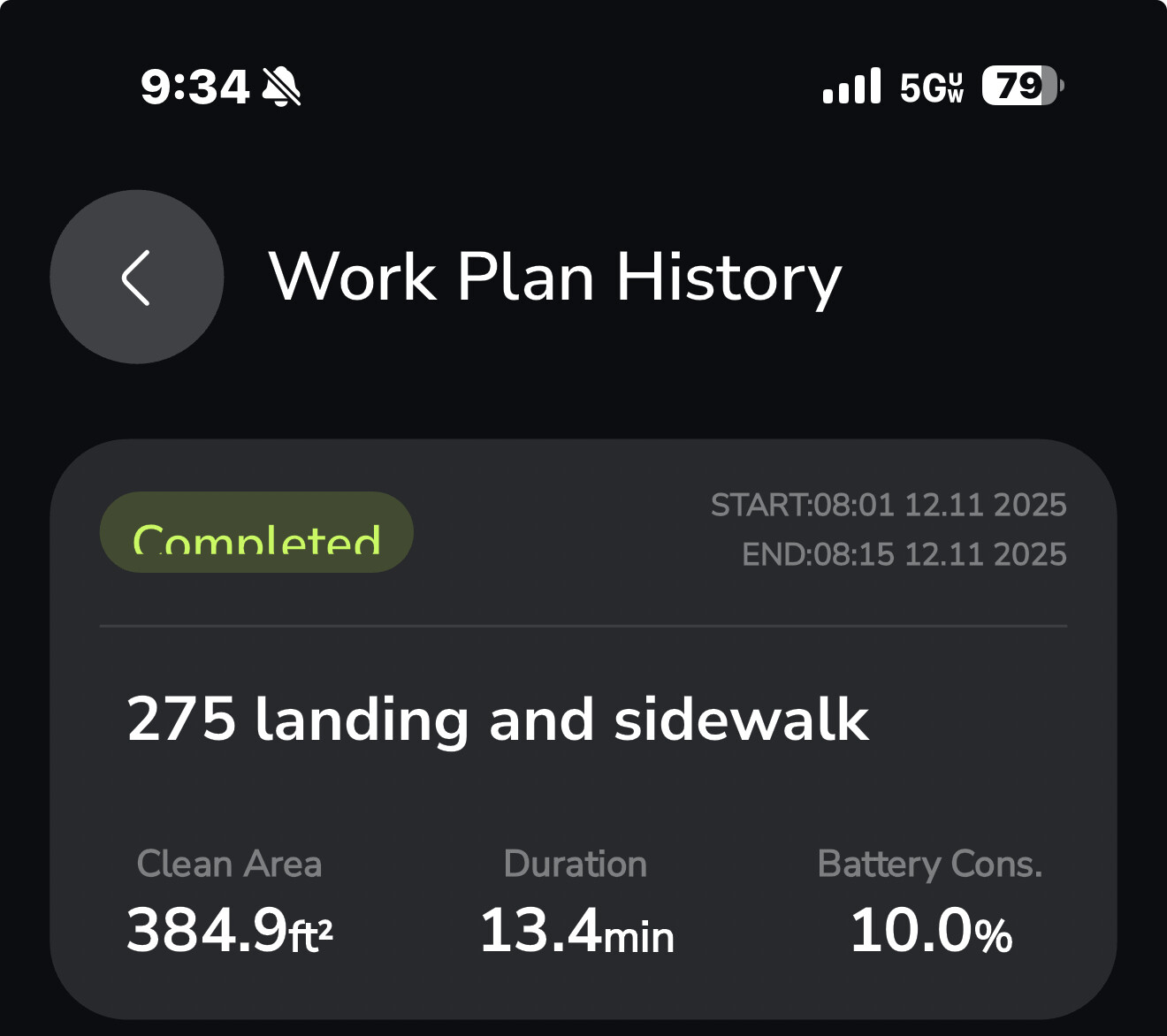
Completed Plan At The End Of A Sidewalk

Order Plan Ran

  1. Sidewalk -Zero Turn-Success
  2. Work Area- Success (however snow throwing logic is terrible)
  3. Sidewalk -Zero Turn - Success Kinda
    Yarbo failed to used the sidewalk parameters on the return of the final #3 sidewalk session (so it basically completed the zero turn which is 50% of the sidewalk programming) and tried to b-line straight to the DS and smashed into the house.
    Why on earth is the YARBO performing a different function at the end of the sidewalk on a work plan other than a zero turn and then returning back to where it started at #3 sidewalk starting position?
    So I know now I should reorder and do:
    Sidewalk
    Sidewalk
    Area
    That way the Yarbo finishes the plan in the area vs at the end of the sidewalk.
    But what if I don’t want to do it that way?

Good thing I was watching and was able to stop the plan. I didn’t get a collision warning due to snow bank build up. But had this been a dry snow free test run it would have been in the kitchen.

How can this happen this late in the game? 2 steps forward 1 hit house. So frustrating. But I’m here for the solution but the conveyance of frustration I believe is necessary at this time and place. What say you?

The plan was 95% successful.

:backhand_index_pointing_up:t4: Pasted again for convenience

That’s really annoying that Yarbo decided to chart its own course back to the dock. Is that a mowing area by chance??

I guess regardless, there’s no good explanation as to why Yarbo would hit your house though. It’s not like you have a mowing area that extends INTO your house.

I think this might be a question for @Yarbo-Forum to research. The robot should ONLY travel in defined areas. Period.

2 Likes

No, no mowing area. The area to the right is my old moving area that I just deleted. So as far a Yarbo is concerned that sidewalk is in space I would assume.

That is so crazy. And worrisome. I haven’t seen my Yarbo do anything even remotely similar to that.

Hope you get a concrete answer soon.

2 Likes

I believe they’re going to fix the impossible routing in the next release. Hopefully they fix the sidewalk behaviors too.

I added some no go zones to prevent the snow blower from going through unplowed sections of my yard. It tried routing around one of them through an unmapped area.

Yarbo support

Wed, Dec 10, 10:24 AM (1 day ago)

Dear Yarbo User,

Thank you for reaching out and for your patience while team reviewed your ticket. We sincerely apologize for the inconvenience caused and greatly appreciate your cooperation.

The technical team has completed the diagnosis and determined that this is a software-related issue, which will be addressed in a future software update.

As a temporary workaround, please create a manual return-to- charging pathway that directly guides Yarbo back to the charging station.

Thank you again for your patience and support. Please feel free to reach out if you have any additional questions in the meantime.

Best regards,

Henry

FSE

Team Yarbo

Luckily I did some remapping/pathing and extended the no-go way out and it’s been fine.

1 Like

They said in an upcoming update. That could be 1-2. Hopefully not longer.

3 Likes

Or spring…. :wink:

1 Like

Hey, take your negativity to the beach and sunburn it! :zany_face:

2 Likes

Ok so I ran it again as
Sidewalk
Sidewalk
Area

:red_exclamation_mark: 100% success :red_exclamation_mark:

Lesson learned. In my case no Sidewalks at the end of the plan. I may run the crash plan again to see if I can duplicate it.

3 Likes

Hi there, this definitely should not be happening. I’ve consulted with our field service engineer, and we believe this behavior requires further investigation to determine the root cause.

If it’s convenient for you, we would really appreciate it if you could submit a support ticket regarding this issue, even though you’ve already found a temporary workaround. This will help our team review the logs in detail and work toward a proper fix.

Thank you for bringing this to our attention, and we apologize for the frustration this has caused.

3 Likes

The ticket has been submitted #139741
Thank you @Yarbo-Forum

1 Like

You can put random little 5’ sidewalks where you want it to start or end too if needed

2 Likes

I got busted -Sidewalk #3 -straight lines only no loop around. :frowning:

My ticket yielded a solution- Straight Sidewalks only.
I will observe those wishes. For now. Muhahahaha

1 Like

What if my physical sidewalk isn’t straight? That makes no sense. My curved sidewalks to the front door has worked wonderfully….

1 Like

Pathway, I expect should be a cheat. Need an S1-mowable object at the far end of it, though.

1 Like

I’ve created a bunch of sidewalks that curve and wind around. And Yarbo is able to follow them without issue. It’s not 100% perfect in backing out of them, but it’s reasonably close.

1 Like

I think they don’t like the hook back at the end of the sidewalk. When they mean straight I think they are referring to it not intersecting when the end of the sidewalk wraps around. Or intersecting at all I guess.

That sidewalk in question I have is fine if it is in the 1 or 2 position on the work plan. last on the work plan it’s no good. It behaved as if it was in an Area and was just returning the DS at the end of the plan.

I’m in not so convinced it’s the shape of the sidewalk except when it’s last to be preformed.

I guess this is how I should attack it. I blew up in white the shape of the end of the side walk. Or just leave out the teal one at the end.

Or most not be cute and stick to a straight simple yellow line.

This is where being a geek …And a persistent geek… pays off.

Don’t give up. Keep iterating until you figure it out!! I have no doubt you’ll figure it out.

1 Like

Below is the email I received to my ticket the #3 sidewalk loop at the end.

After their email is the reply I just wrote this morning.

“Dear Benjamin,

I hope you are doing well.

Thank you very much for sharing the screenshots. They were extremely helpful in understanding the exact mapping layout and the behavior you experienced during the Sidewalk Work Plan.

After reviewing the images, we noticed an important detail regarding the third sidewalk segment. The Sidewalk feature, as described in the Yarbo Wiki, is designed to function as a straight, linear path that maintains a consistent alignment from start to end. However, in your current map, the third sidewalk is not in a straight line and appears to be overlapping and misaligned with the intended sidewalk path.

This misalignment can cause Yarbo to calculate the return route incorrectly, which may explain why it attempted to break from the programmed sidewalk logic and head directly toward the Data Center instead of following the zero-turn behavior. When a sidewalk is overlapped or not configured in a clear and continuous straight path, the navigation algorithm may interpret the end of that segment differently and attempt what it believes is the most direct return route.

We fully understand how frustrating this situation is, especially when the unit behaves unpredictably. Your documentation and attention to detail are genuinely appreciated and extremely valuable for diagnosing the issue.

To ensure the next run follows the correct logic, we kindly recommend adjusting the third sidewalk so that it is perfectly straight and aligned with the previous segments. Once the alignment is corrected, the system should maintain the proper sidewalk parameters throughout the entire Work Plan.

Thank you once again for your patience, cooperation, and detailed feedback. We are here to support you every step of the way.

Best regards,
Jerry
Team Yarbo”

My email back:

I understand. I’ll use straight lines. However, it made it to the end of sidewalk 3 performed the zero turn and started its return route and started back down its programmed path at the end to the plan to return to the DS. Then about 2 Yarbo lengths down the return path on the straight part of the sidewalk it made a deviation. Why would it fail there after it started its return route to the DS and it was already within the boundary of the sidewalk? I believe there is an unwanted function being performed at the end of workplans that releases the core from performing the last required return function of a/the side walk. It looks like the programming is releasing it from the confines of the sidewalk before it should. If I move this sidewalk into the 1st or 2nd postion of the work plan the sidewalk will run as drawn. I do not believe it to be the shape of the sidewalk in this instance.

The purple line is the inbound travel and it did as planned. The yellow line is the out bound.

You can see it completes the zero turn and proceeds to exit. Upon entering the straight part of the sidewalk walk on the return it then feels it’s safe to leave the planned return and optimize a route back to the DS. It shouldn’t. That’s not even a work area it can use.

:backhand_index_pointing_up:t4: here is the zoomed in part of the deviation without the yellow triangle in the way.

I appreciate the responses to my ticket.

1 Like

I like the way you responded to their email.

Sure sounds like something weird is going on with their logic, and they need to get to the bottom of it.

Hopefully a better answer will be forthcoming.

In the interim, maybe resequencing your sidewalks such that a ‘straight’ one runs last will at least get your plan up and running. But obviously not a desirable final solution.

3 Likes