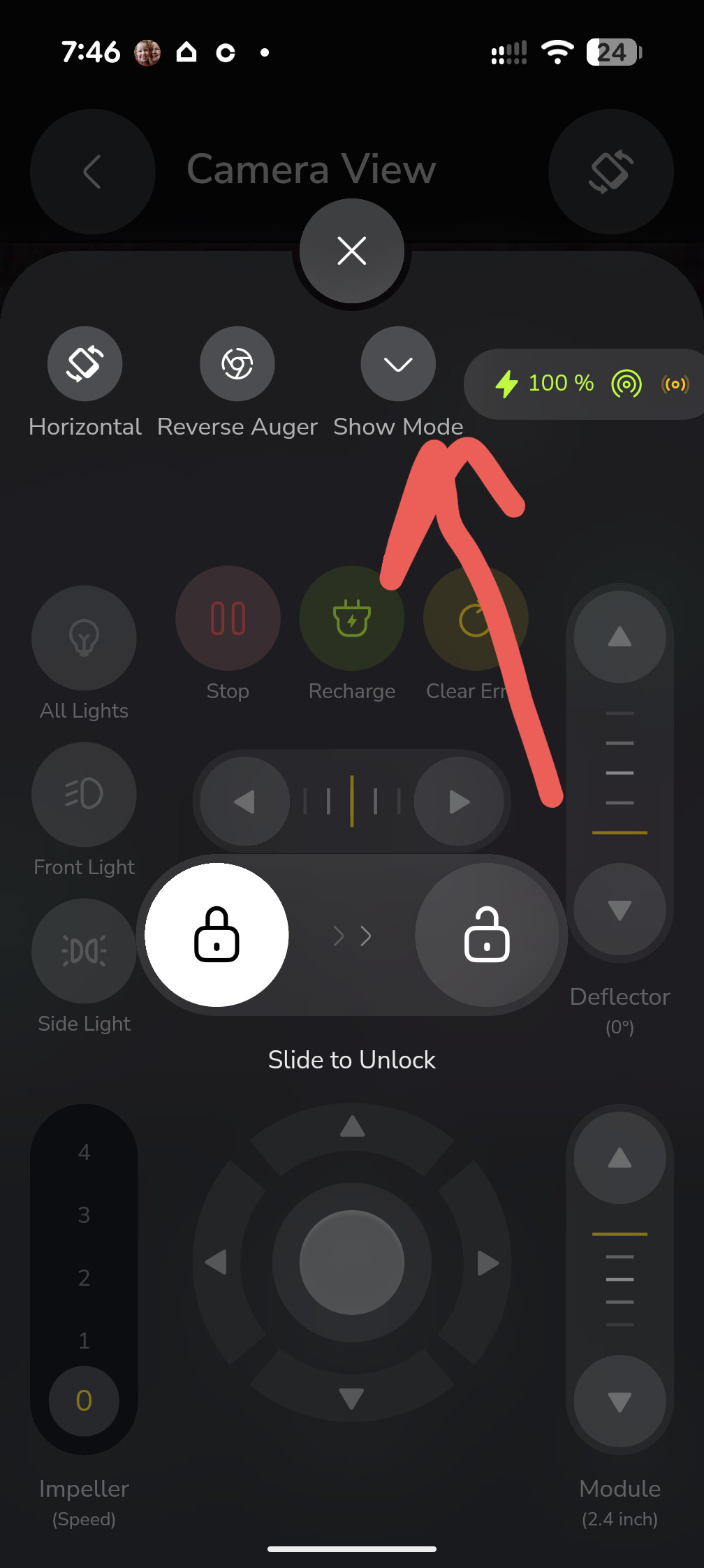
I realize the Smart Vision feature is still technically “in beta” and I’ve not really seen anything from @Yarbo-Forum stating what the expected or planned future features are. After reading this post: possible improvement to docking as well as others making comments about how they would like to see the smart vision system used, I thought it might be a good idea to try to consolidate our thoughts. My initial proposal would be to start a list and for everyone who wants to add something, copy the list into your post with your additions. I’m not sure how best to handle “edit” or “counter suggestions” other than to add your change to the text of the relevant section with your user name before the text? I don’t know, but let’s give it a try.
- Task map display
- When a task is paused, add a mini version of the direction controls like what’s on the Smart Vision screen in the app to allow for moving the rover while looking at the map. Also add a button to toggle the blades. I would definitely still leave the button for the full controller if needed.
- Add a button to pop up a small picture-in-picture single camera view that would default to the front camera. If you tap the view pop up, it cycles through the four cameras. Also include a button to swap whether the map is full screen with a PIP camera view, or whether the camera view is full screen and map is PIP.
- SmartVision display
- Add a small button to switch between all four cameras and focusing on only a single camera.
- Maybe tapping the name of the view makes it single focus/maximize the view?
- Tapping back, goes back to the four camera view
- When in single camera view, small button in bottom right corner will cycle through the other cameras.
- When in single camera view
- Directional controller in bottom left
- Two buttons above control and to either side. One to activate blades/blower/auger, and one to initiate charging.
- Mini-map in bottom right
- Set which side left/right for 2.2.1 and 2.2.2 in Settings menu
- A set of controls should appear across the top (kept small) indicate BSOC, GPS strength, HaLow/Cellular/WiFi signal strength, maybe distance to nearest obstacle in direction of camera view?.
- Directional controller in bottom left
- Toggle to add straight line lane markers for front and rear view to aid in remote steering. Lines should indicate where tracks will hit the ground when driven in a straight line forward or backwards.
- Toggle to show alignment information for charging pad.
- I’m not sure how this is currently done, whether there’s a single magnet and an X-Y sensor, or if there are an array of magnets and sensors.
- Show each sensor with a red/yellow/green indication with position (left/right/front/back/etc.) so a user can steer the rover over the charging pad and align it.
- OR show some sort of targeting reticle (circle with an X that moves over a cross) that indicates what direction the rover should be moved in to align it for charging.
- Toggle for all lights???
- Maybe a mode slider at the top of the screen to set what viewing mode and controls should be displayed? Only allow first mode when task is in progress. If task is done, stopped, or paused, then allow all modes.
- General mode - four cameras or single camera, mic, speaker, and movement. maybe mini-map?
- Remote operation - Single camera, mini map, movement and attachment (blades/blower/etc) control
- Charging - four camera or single camera, senor status or target for aligning with charging pad, movement controls
- “Shutter” button to take individual picture from one or all four cameras at the same time.
- Movie button for APP to record streamed video from one camera or collage of all four cameras.
- The ROVER should only stream the video as it would in the current SmartVision screen. The rover should not be sending any special HD stream, or record the video.
- The PHONE APP should be responsible for any recording of video from a single camera or the collage of all four.
- Add a small button to switch between all four cameras and focusing on only a single camera.
- Add option to settings to take a picture with the cameras if a collision is detected.
- Maybe in the future add an option to have a recording loop buffer of a couple seconds of video that is triggered when a lift/drop/collision/motor overload event occurs. Keep it to only a few seconds to limit load on memory.
This is about everything I can remember reading or seeing mentioned in my adventures through the forum. As I said above, if you want to add to it, copy the list into your post and add to it. Got comments or changes? add them to the relevant section with your user name before the recommendation.
Let see what we all think!