Based on what I am seeing in your screenshots I don’t believe you are having a GPS issue. I think you are having an app network connectivity problem. Your network connection shows medium and I see you are on your home wifi on the cell phone. You have good cellular signal on your phone. Temporarily disable bluetooth and WiFi on your cell phone when you are mapping. The app can trick you into thinking there is GPS problems when it loses network connection. It also likes to switch back and forth from bluetooth to network a lot. This is why I typically turn both of those off when I’m in the yard working with my Yarbo. Inside the house, no issue but I will often turn off bluetooth there too because it has some crazy range and latches on. There is a lot of delay with bluetooth. Especially at distance. Hope that helps, please keep us posted. Also, bump your mapping PPVS setting back up to 17FT if you do experience more GPS issues. That is the default.
Thanks everyone, and Bryan, thank you! I was seeing a lot of network problems and didn’t realize that was the phone having difficulty on the home network.
Tomorrow I will go out and turn off bluetooth and wifi on the phone and see how that goes, and at the same time take the suggestions to bump up the PPVS just a tiny bit to complete mapping, and then we can see how it goes.
Correct me if I’m wrong, but I DID turn off wi-fi on the rover in diagnostics as I read somewhere that can cause problems as well?
Yes, turning off wifi on the core is also important. It’s only recommended/needed if support asks you to connect to it or you have a problem with HaLow
Don’t give up! Report back.
Ok, tried again with your suggestions and sadly same exact outcome as yesterday. Below I am posting photos of the area it continually gets stuck, as well as photo of the data center. The data center is high on the roof clear view of sky and even direct line of site to where the rover gets stuck, it’s only 55’ feet to where it gets stuck.
Per the suggestions above, I turned off the phone wi-fi and bluetooth and am instead connected over very strong cellular.
Exact same thing is happening, even with the PPVS set to 18’ now instead of 10’. It gets to between the tall trees and says it has lost signal, wants me to ‘navigate back to a break point’, which I do… anywhere along the path, and then it says ‘request failed, please check your network’ so after it fails down there I can NEVER connect back to the rover again, it’s just constant ‘request failed, please check your network’ - you can see full strength cellular. What the hell network is it talking about?
The family has given me 2 days to get it working, big storms coming in this weekend, and I already sold the EGO snow blower and they are mad and want it back.
I promise to keep trying but if we can’t get this to blow the very most important part of the driveway (the entrance), then I’ve got to d a return.
For as much as this costs, and as much as it should be known that people have trees and buildings, the complete reliance on solely GPS in this very expensive device is a bit crazy to me. Why not add LIDAR for mapping assistance? Even a rudimentary wire/infared blockers like iRobot used to use with early vacuums would be a no brainer to set up boundaries and let it stay within wire/infrared boundaries like dog fences to. Relying solely on GPS is a massive pain point for something that needs to go under trees and between buildings.
Waiting next advice? Thank you!
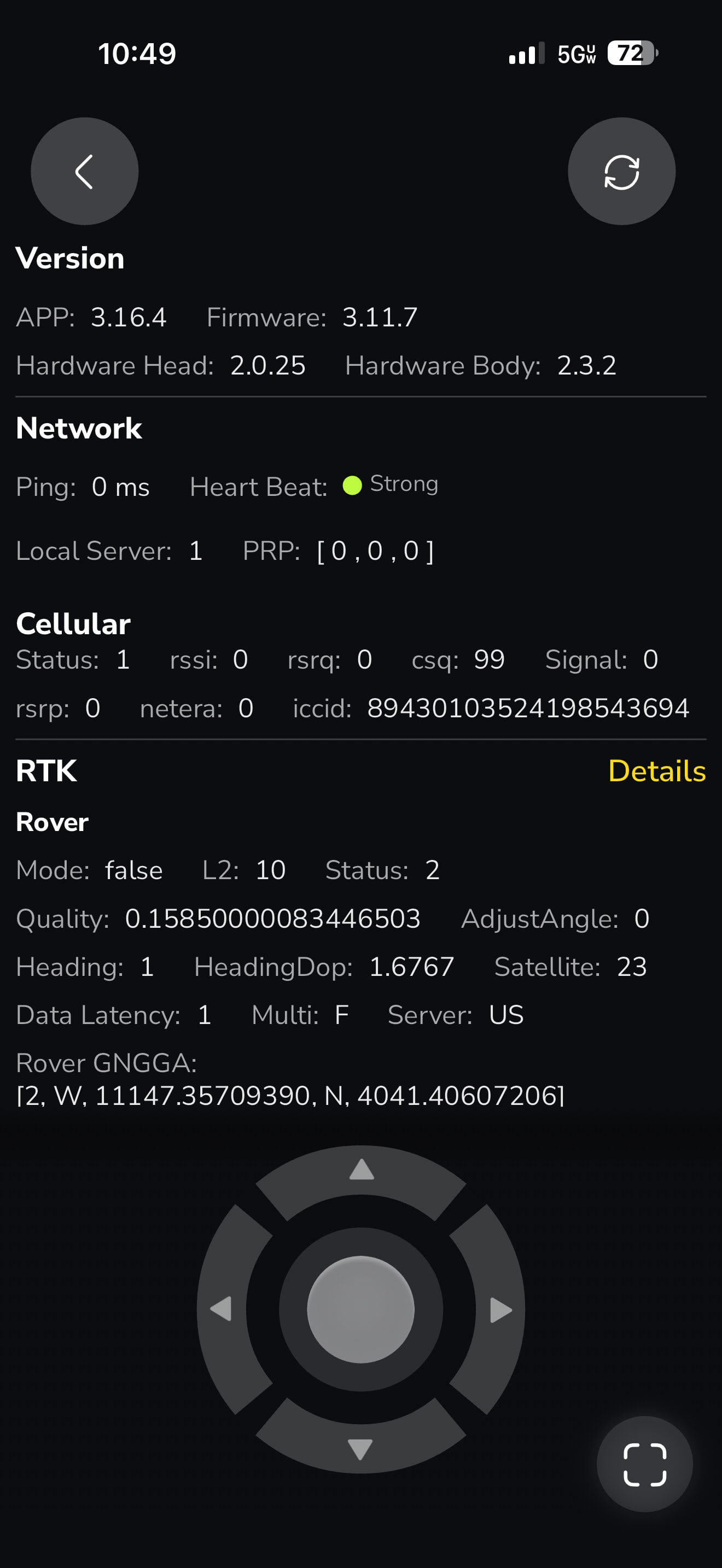
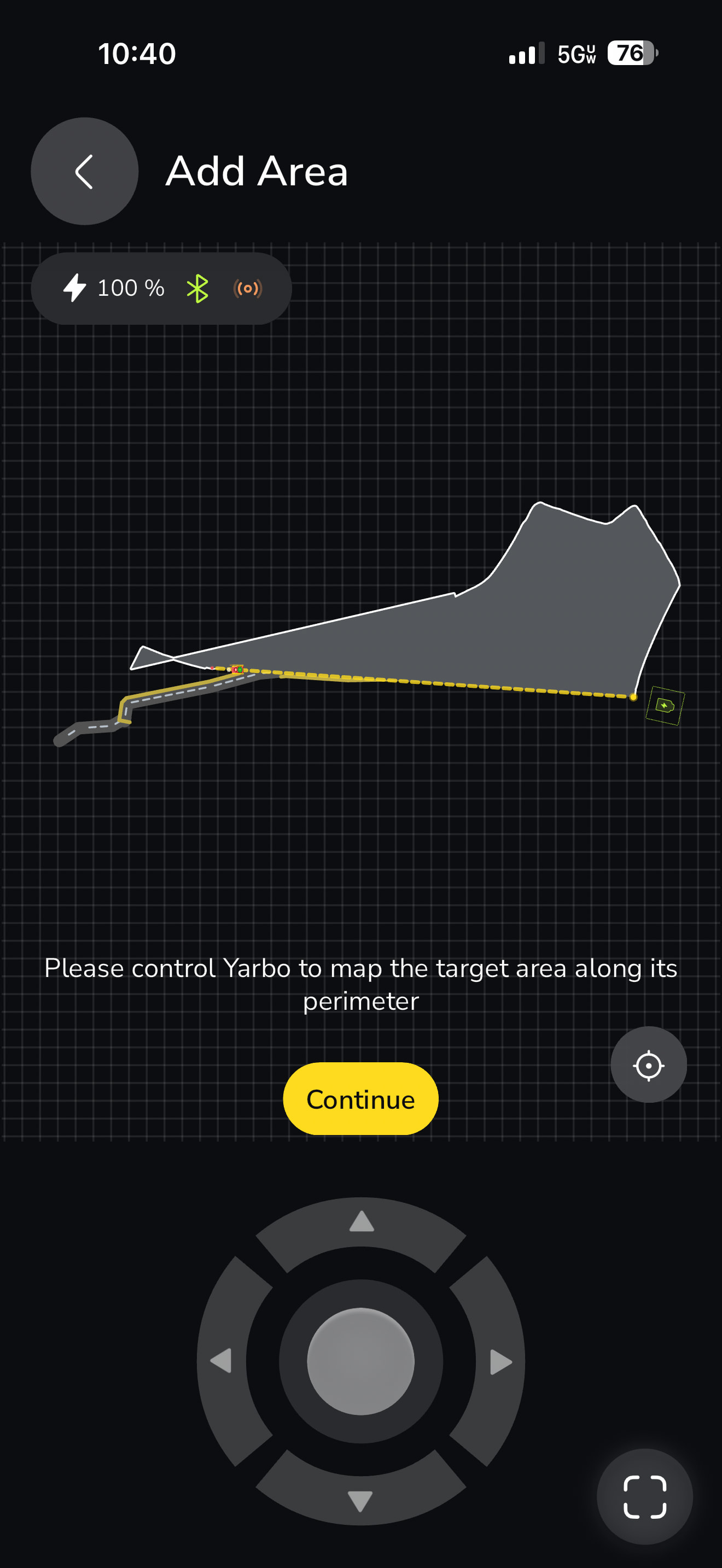
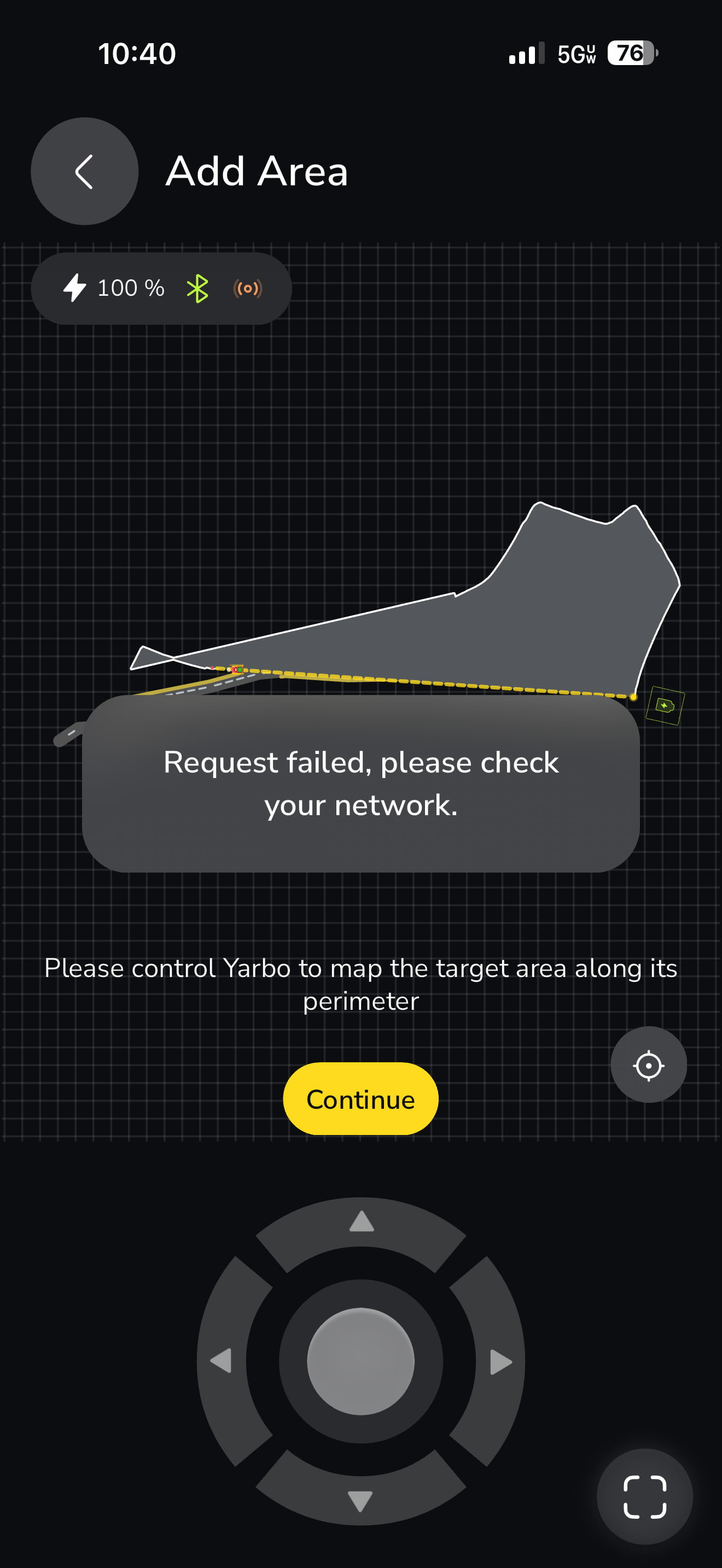


Sorry, thought that was off. I’ll go turn that off. Still makes no sense though if it IS bluetooth, as I’m right next to the rover. Why does this ‘network’ error ONLY occur after Rover has lost its GPS in between those trees? bluetooth is working apparently the entire rest of the time. regardless I’ll go try the entire thing again now with bluetooth off.
Would love Yarbo to address my other comments - why the heck does this thing not have rudimentary LIDAR and physical barrier ability - so easy, so simple. relying on GPS makes this thing pretty much usable only in the middle of a field is how I’m starting to feel about it.
The entire lane down to the main road is purely tall trees on both sides, this is never going to be able to do it with a gps signal.
You are probably going to have to bump that PPVS up to 30 if it keeps losing the break point.
There is a pioneer who has something similar and he does have a lot of GPS issues, but he’s still able to snow blow his driveway with it. Lidar wouldn’t work well in the snow and good ones (even for mowing) is about $1k up charge if you look at some of the competing mower products. With PPS, it only needs good signal, even for a brief moment to recalibrate its position and reset the dead reckoning counter.
Thank you for the help, going out again now and will start it over with bluetooth off and PPVS bumped up to 30. Stay tuned!
Are there any ‘beta / pioneer’ programs I can join that would get me different firmware or capabilities to help in my situation? (only asking based on your comment that there is a ‘pioneer’ with similar issues…
You can apply to the beta AKA Pioneer program on their website. We get to test the firmware early before release to the public. That’s about it. No custom firmwares or anything like that. Also, if you continue to have break point issues, try setting the other PPVS settings higher too. Just a hunch, could be wrong.
Thanks for that!
Now, unfortunately, with bluetooth off, I get this: can’t connect to the rover at all. It’s literally sitting directly in front of(line of site) of the data center. It’s said connected to HaLow fine in the driveway before, but now now.
This thing is proving way too temperamental.
Gonna give it one last shot!
Suggestions? I’m going nowhere fast with this thing.
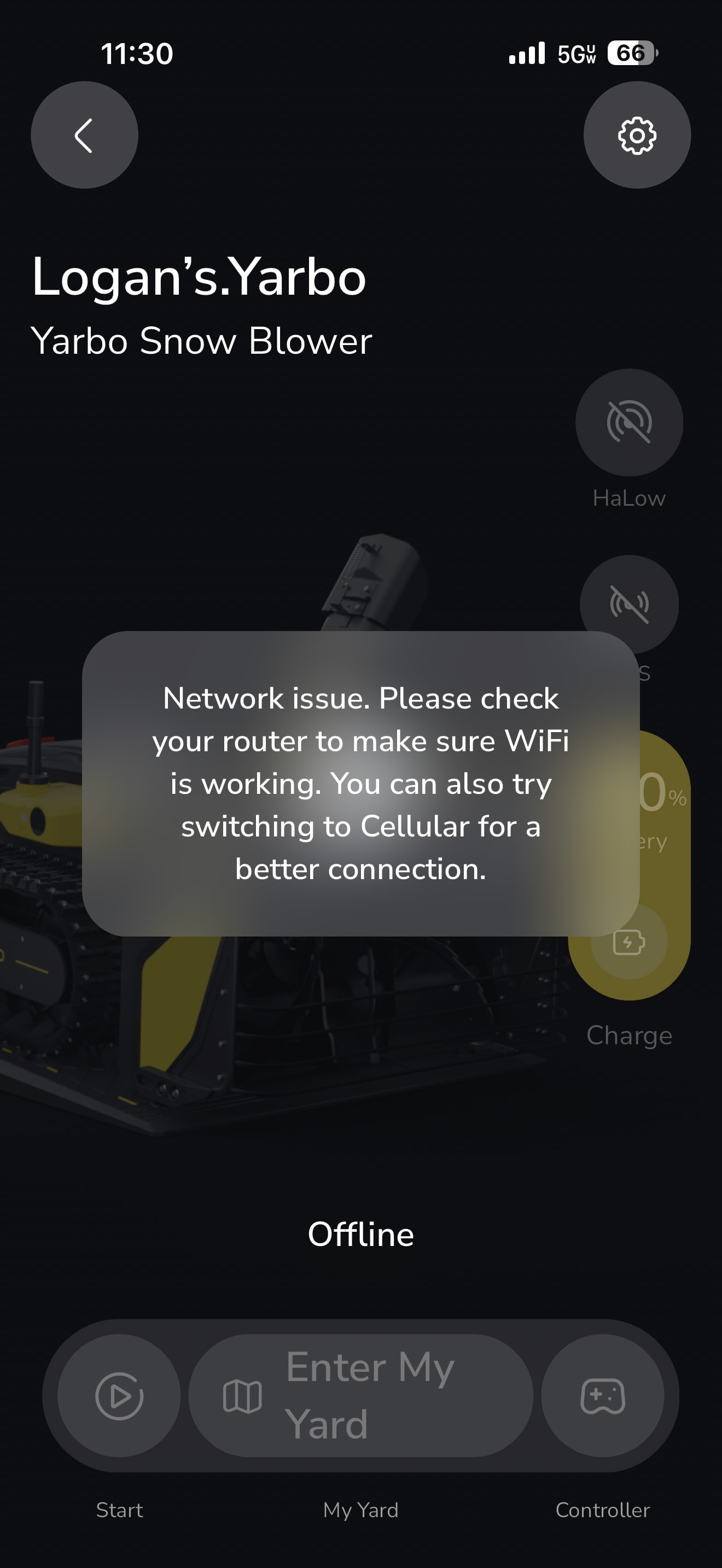
Turn the Bluetooth back on, connect and go into diagnostics. Scroll down on that page and show your DC status, HaLow status. I think your connection to your router might have an issue.
Yeah something isn’t right, B. Those trees shouldn’t be that miserable with PPV. I was expecting way worse tree coverage. Don’t get me wrong it’s a lot. It should be able to slide by and catch GPS on the other side.
Agreed.
Ok, will try that. What do you mean by ‘router’ -? The router that the DTG is connected to? It’s got a direct wired connection to a Unifi Enterprise gateway with Google Fiber 8Gig up/down.